
WhatsApp CRM 
Integrate with WhatsApp and close deals right from your CRM.

AssistAI
Automate sales and convert chats into won deals with AssistAI intelligence.
Multichannel communication
Merge communications channels and converse via a single platform.
Sales management
Organise your leads and opportunities with sales pipelines.
Lead capture
Capture leads from web forms, incoming messages, and more.
Analytics
Track performance and sales visibility through visual dashboards.
Security
Safeguard your data with multi-layered security.
Integrations
Communicate efficiently via messages, emails, and more.
Workflow automation
Automate routine tasks, lead capture, sending follow ups and more


WhatsApp CRM
Integrate with WhatsApp and close deals right from your CRM.

AssistAI
Automate sales and convert chats into won deals with AssistAI intelligence.

Multichannel communication
Merge communications channels and converse via a single platform.

Sales management
Organise your leads and opportunities with sales pipelines.

Lead capture
Capture leads from web forms, incoming messages, and more.

Analytics
Track performance and sales visibility through visual dashboards.

Security
Safeguard your data with multi-layered security.

Integrations
Communicate efficiently via messages, emails, and more.

Workflow automation
Automate routine tasks, lead capture, sending follow ups and more

Back to integration
Best CRM with Google Contacts integration



Contact management | Contact sync | Google workspace
Best CRM with Google Contacts integration
Effortlessly sync and manage your contacts with the leading CRM with Google Contacts integration.
Transform your contact management with the seamless integration of Google Contacts and Pepper Cloud CRM. Eliminate manual data entry and messy CSV files with two-way synchronisation, and handle customer data with ease.
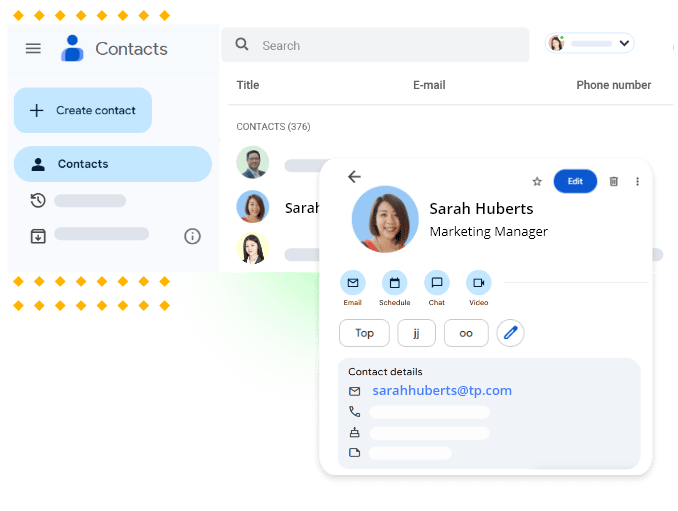
Benefits of Google Contacts CRM integration


Why choose Pepper Cloud for Google Contacts integration?
Pepper Cloud is the top CRM for Google Contacts, offering seamless integration and robust features:
How to integrate Google Contacts with Pepper Cloud CRM?

Google Contacts CRM integration - Application and use cases
Sales team efficiency:
Automatically import leads from personal Google Contacts into the CRM.
Ensure sales representatives always have the latest contact information.
Streamline follow-ups by having all contact details readily available in the CRM.
Networking and relationship building:
Customer support enhancement:
Event management:
Marketing campaign optimisation:
About Google Contacts
Google Contacts is a contact management tool that comes as part of the Google Workspace (formerly G Suite) productivity suite. It allows users to store and organise contact information, including names, phone numbers, email addresses, and other details. Google Contacts syncs across devices and integrates seamlessly with other Google services like Gmail and Google Calendar. Its user-friendly interface and robust features make it a popular choice for both personal and professional contact management. By integrating Google Contacts with your CRM, you can enhance contact management and streamline communication easily.
Google Contacts CRM FAQs
What is Google Contacts integration with Pepper Cloud CRM?
Google Contacts integration allows you to import your Google Contacts directly within Pepper Cloud CRM.
How secure is my data with Google Contacts integration?
Will the integration help in eliminating duplicate contacts?
Can I import historical Google contact data into Pepper Cloud CRM?
Can I export Google contacts from Pepper Cloud CRM?
Also popular in this category


Best CRM with Google Contacts integration - Trusted by many businesses

















Navigate the future of business with our
intuitive CRM system integrations
 24/7 Local support
- No hidden charges
- Built for Singapore SMEs