
WhatsApp CRM 
Integrate with WhatsApp and close deals right from your CRM.

AssistAI
Automate sales and convert chats into won deals with AssistAI intelligence.
Multichannel communication
Merge communications channels and converse via a single platform.
Sales management
Organise your leads and opportunities with sales pipelines.
Lead capture
Capture leads from web forms, incoming messages, and more.
Analytics
Track performance and sales visibility through visual dashboards.
Security
Safeguard your data with multi-layered security.
Integrations
Communicate efficiently via messages, emails, and more.
Workflow automation
Automate routine tasks, lead capture, sending follow ups and more


WhatsApp CRM
Integrate with WhatsApp and close deals right from your CRM.

AssistAI
Automate sales and convert chats into won deals with AssistAI intelligence.

Multichannel communication
Merge communications channels and converse via a single platform.

Sales management
Organise your leads and opportunities with sales pipelines.

Lead capture
Capture leads from web forms, incoming messages, and more.

Analytics
Track performance and sales visibility through visual dashboards.

Security
Safeguard your data with multi-layered security.

Integrations
Communicate efficiently via messages, emails, and more.

Workflow automation
Automate routine tasks, lead capture, sending follow ups and more

Back to integration
Best CRM with Google Forms integration


Online form builder | Web forms | Lead generation | Survey form | Lead capture form | Data management | Google Workplace
Best CRM with Google Forms integration
Record and manage data with CRM Google Forms integration.
Elevate your data collection and lead management processes with Pepper Cloud CRM's seamless Google Forms integration. This powerful CRM with Google Form integration allows you to effortlessly capture, organise, and utilise data from your forms directly within your CRM, streamlining your workflow.
Benefits of Google Forms CRM integration


Why choose Pepper Cloud for Google Forms integration?
Pepper Cloud excels as the premier CRM for Google Forms, thanks to its effortless integration and robust capabilities:
How to integrate Google Forms with Pepper Cloud CRM?

Google Forms CRM integration - Application and use cases
Lead generation:
Create custom lead capture forms and automatically add responses to your CRM as new leads.
Set up automated follow-up sequences based on form submissions.
Track lead sources and conversion rates from different forms.
Customer feedback collection:
Event registration:
Product orders:
Internal data collection:
About Google Forms
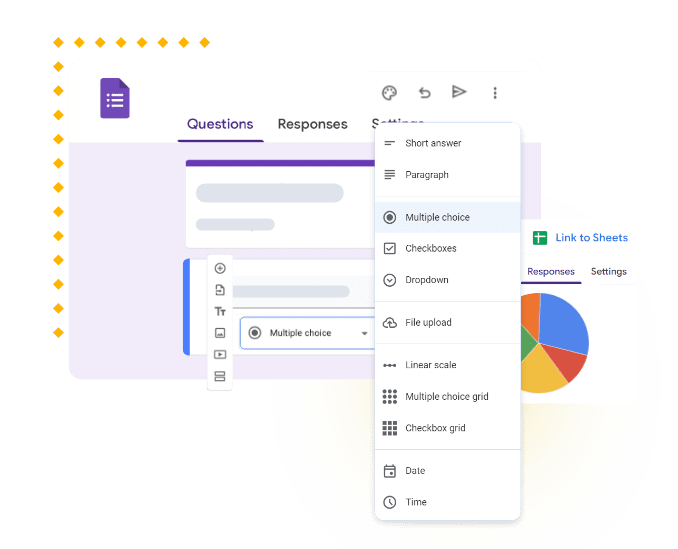
Google Forms is a free, web-based tool designed for creating surveys, quizzes, and forms, and is part of the Google Workspace suite. It simplifies the process of collecting and organising information, with responses automatically saved in Google Sheets. Google Forms offers a variety of question types, customisable themes, and real-time result analysis. Integrating Google Forms with your CRM system can streamline data collection and enhance customer insights. It also improves overall efficiency by seamlessly importing responses into your CRM for better tracking and management.
Google Forms CRM FAQs
Can I integrate multiple Google Forms with my Pepper Cloud CRM?
Yes, you can integrate multiple Google Forms and manage data from within your CRM.
How quickly does data sync between Google Forms and the CRM?
Can I use Google Forms CRM integration for customer surveys on my website?
Is it possible to create CRM tasks or notifications based on form submissions?
Can I customise how form data is mapped to CRM fields?
How secure is the data transfer between Google Forms and the CRM?
Can I use the integration to update existing CRM records with new form data?
Also popular in this category




Best CRM with Google Form integration - Trusted by many businesses
Navigate the future of business with our
intuitive CRM system integrations
 24/7 Local support
- No hidden charges
- Built for Singapore SMEs